
SoundConverter
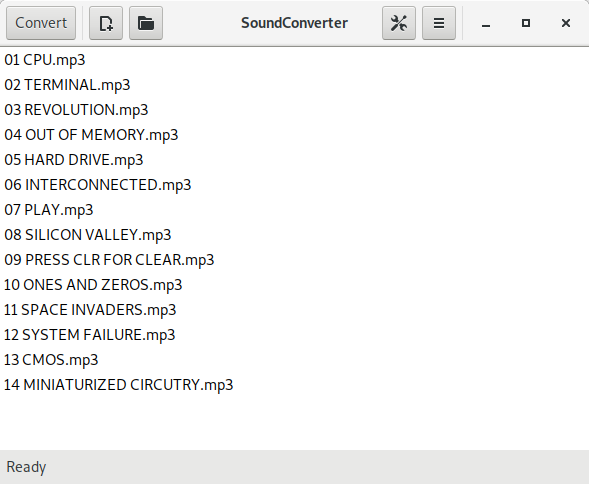
Discover SoundConverter, the leading audio file converter for GNOME. Read our full review to see how this fast Linux utility simplifies your media workflow.
Imagine you have just finished recording a massive batch of voice memos, only to realize they are saved in a format your editing software refuses to import. Or perhaps you need to extract the background score from a video lecture to listen on your daily commute. In these moments, you do not want to wrestle with complex command-line arguments; you need a tool that gets the job done instantly. That is where SoundConverter audio file converter steps in as the ultimate desktop helper.
What is the SoundConverter Audio File Converter?
Developed by Gautier Portet, SoundConverter is the premier utility designed specifically for the GNOME Desktop environment on Linux. It serves a singular, crucial purpose: translating your sound files from one format to another with zero fuss. Built with simplicity and speed at its core, this application integrates seamlessly into your Linux workstation, bridging the gap between incompatible media formats.
Key Features and Desktop Benefits
- Multi-Threaded Batch Processing: Instead of processing files one by one, this utility can convert multiple files at the same time. By utilizing your system's multi-core processor, it significantly reduces waiting times for large audio libraries.
- Video Audio Extraction: You do not need a separate video editor just to grab a soundtrack. It can read video files directly and pull the audio track out into your preferred format.
- Clean GNOME Integration: The interface is stripped of unnecessary clutter, adhering strictly to GNOME design guidelines. It is intuitive enough that first-time users can start converting files immediately without reading a manual.
Who is this Utility For?
The SoundConverter audio file converter is designed for Linux users who value efficiency. Whether you are a podcaster managing raw recordings, a music enthusiast organizing a local media library, or an office professional handling diverse presentation assets, this tool provides a dependable, local solution that does not rely on sketchy online conversion websites.
Our Editorial Verdict
If you are operating on a Linux platform and require frequent media adjustments, this application is an essential addition to your software suite. It does not try to be a full-fledged DAW or a complex tag editor; instead, it focuses on doing one thing exceptionally well. For those ready to streamline their desktop media workflow, you can find more details and installation instructions directly on the official Flathub store page.